
Withdrawing your funds in BET55 Game is quick and simple. Follow the steps below to transfer your money safely and without any hassle.
Step-by-Step Withdrawa Process
Step 1 — Log In to Your Account Open the app or website and sign in using your phone number and password.
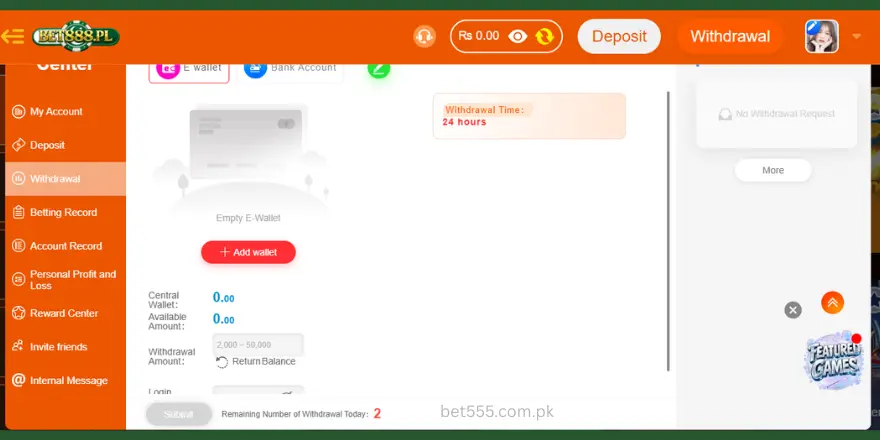
Step 2 — Go to the Wallet or Balance Section From the home screen, tap on “Wallet,” “My Balance,” or “Funds” to view your available amount.
Step 3 — Bind Your Account Press add wallet account enter your correct account details
Step 4 — Enter the Amount Type in the amount you wish to withdraw. Make sure it does not exceed your available balance.
Step 5 — Choose Your Method Select how you want to receive your money. Options may include:
- Bank Transfer
- JazzCash / EasyPaisa
- Debit / ATM Card
Step 6 — Confirm with OTP An OTP will be sent to your registered phone number. Enter the code to verify and authorize the withdrawal.
Step 7 — Withdraw Submitted Your request has been submitted. You will receive a confirmation message shortly.
Withdraw Timeframes
| Method | Processing Time |
|---|---|
| Bank Transfer | 1 – 2 Business Days |
| JazzCash / EasyPaisa | Within Minutes |
| Debit / ATM Card | 2 – 5 Business Days |
Important Notes
- Minimum withdraw amount is Rs. 100
- Maximum withdraw per day is Rs. 50,000
- Withdrawals are only processed on business days
- Your account must be verified before withdrawing
- Make sure your phone number is active to receive OTP
Common Withdraw Issues & Fixes
Insufficient Balance — Make sure your available balance is enough to cover the withdrawal amount.
OTP Not Received — Check your signal, wait 30 seconds, and tap Resend OTP.
Wrong Account Details — Double-check your bank or wallet number before confirming.
Withdrawal Pending Too Long — Contact customer support if your withdrawal is not processed within the expected time.